PowerShell is a very powerful tool and sometimes provide an amazing way for accomplishing which otherwise would have taken lot of effort and time.. One such scenario I had recently when I had to script out few stored procedure from my SQL Sever Database. There we go.. Below I will explain how we can script out Database Objects using PowerShell.
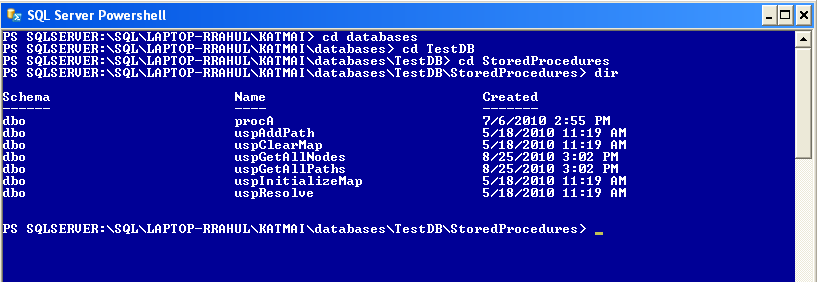
Lets get rolling and start PowerShell- We start PowerShell directly from SSMS by Right clicking any node and select Start PowerShell. It will open PowerShell connected to your Server
I will script Stored Procedures from the Database and I will show various options of doing that.
First let get down to Stored Procedures
1. First thing first .. let try to display our Stored Procedure on Screen
gci *uspGetAllNodes* | %{$_.Script()}
2. Displaying it on Screen doesnt help much, lets Sript-Out this in a file
gci *uspGetAllNodes* | %{$_.Script()} | Out-File c:\Scripts\uspGetAllNodes.sql
3. Thats cool we can get one Stored Procedure, how about getting all the StoredProcedures
gci | %{$_.Script()} | Out-File c:\Scripts\AllStoredProcs.txt
4. Great, but what if I have few Stored procedures to extract and I dont what to run the script again and again.
Use an Array Variable.
$SPNameList = @("uspGetAllNodes", "uspGetAllPaths")
FOREACH ( $SP in $SPNameList)
{
gci *$SP* | %{$_.Script()} | out-file c:\Scripts\$SP.sql
}
5. OutPut Directory
Thanks!!